How I check bulk emails for free in 2025 A simple guide
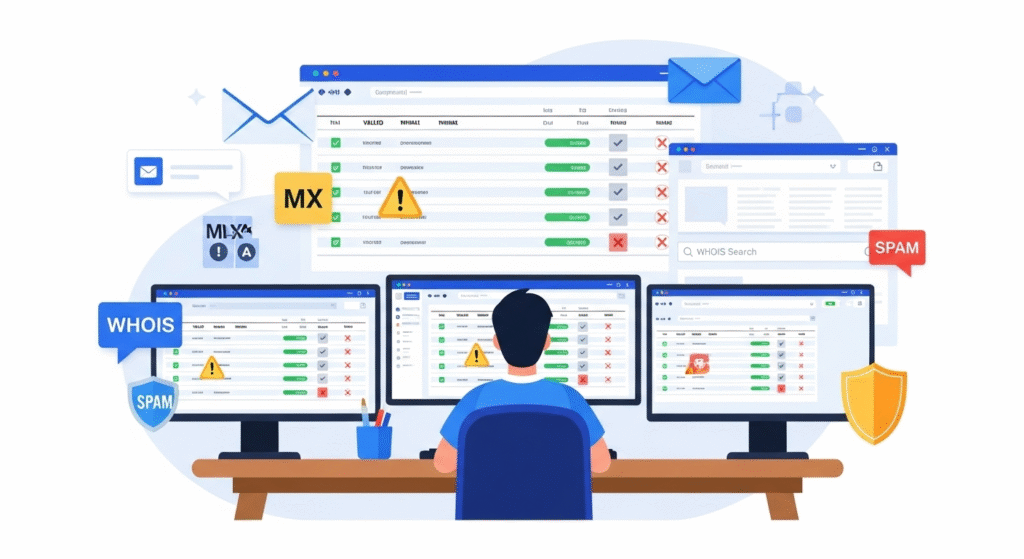
I show how I check a bulk email list for free. I clean the file. I cut bad emails. I mark risky ones. I keep my list fresh and safe.
Why I check bulk emails before I send
Bad emails waste time and cash. They break my sender score. They raise bounces and spam flags. A clean list helps me land in the inbox. A clean list helps me get more clicks and sales.
I also care about trust. I send to people who said yes. I add a clear opt out. This keeps me safe and fair. It also helps my brand long term.
What I check (a quick list)
- Format: name@domain.tld
- Typos: no spaces, no double dots, no wrong signs
- Dupes: one row per email
- Domain: has MX so it can get mail
- Disposable: no temp mail hosts
- Role emails: like info@, sales@, admin@
- Catch‑all: mark as risk
- Mailbox: check if inbox may exist
- Source: where I got the lead
- Consent: did the person opt in?
The fast path checklist
- I export to CSV.
- I make one email per row.
- I remove blanks and dupes.
- I fix clear typos.
- I run basic syntax checks.
- I check domains and MX.
- I flag temp mail hosts.
- I flag role emails.
- I try a safe mailbox check.
- I test send to 100 (opt‑in) and watch bounces.
- I tag each email: valid, risky, bad.
- I send to valid. I watch risky. I drop bad.
Step 1: I get my file ready (CSV)
I use CSV. I keep headers clear. I use these fields:
- first_name
- last_name
- source
- country
- status
- reason
- last_checked
I keep one email per row. I save the file in UTF‑8. I keep commas clean. I avoid extra tabs and signs.
Step 2: I remove noise
I remove blanks. I trim white space. I make all emails lower case. I cut dupes fast. I log how many I removed.
This step looks dull. But it saves a lot of pain. Clean input gives clean output. I never skip this step.
Step 3: I do syntax checks
I look for an “@”. I look for one dot after the “@”. I block spaces and commas. I block two dots in a row. I block a dot right after “@”.
If the format is wrong, I mark it bad. I write the reason. I move on fast. I do not try to guess the fix. I do not spam a wrong guess.
Step 4: I check the domain
I check the part after “@”. I see if the domain is real. I see if it has MX. MX means the domain gets mail. If there is no MX, I mark it bad.
If MX is slow or odd, I mark as risk. I may check it again next day. Some hosts fail for a short time. I give them one more chance. Then I decide.
Step 5: I flag disposable mail
I do not want temp mail. It hurts open rate. It hurts my list health. I keep a small list of known temp hosts. I add more as I see them.
If I find a match, I mark it bad. I do not send to it. I do not try to fix it. I move on. This keeps my list strong.
Step 6: I flag role emails
Role emails are like info@, admin@, sales@, support@, jobs@. Some are fine. Some do not get mail or have filters. Many hit many people at once. I mark them as risk.
If I do B2B and the list is small, I may keep some. If I do B2C, I drop most role emails. This choice is on my goal. I keep a rule and stick to it. I note the rule in my doc.
Step 7: I spot catch‑all domains
Some hosts accept all mail at first. They drop bad inboxes later. That is a catch‑all. I mark them as risk. I do not trust a “pass” here.
If I must send, I send to a small test group. I watch bounces. If the bounce rate goes up, I stop. I prune that set. I protect my sender score.
Step 8: I do a safe mailbox check (no send)
Some tools can ping the inbox. They do not send an email. They check if the inbox may exist. It is not 100% sure. But it helps.
I run this on the last set that passed MX. I tag the result: valid, risky, or bad. I keep “unknown” as risk. I never force a “valid” tag. I keep it honest.
You can try a free bulk check here: <a href=”https://smarttoolzone.com/emailcheckr-clean-verify-your-email-list-instantly/” rel=”nofollow”>EmailCheckr — Clean and verify your email list</a>.
Step 9: I run a small live test (with consent)
I do not blast a cold list. I start with 100–200 leads who said yes. I send a short, clear note. I set a good From name. I add an easy opt out.
I watch bounces in real time. I aim for a very low bounce rate. If bounces rise, I pause. I look at the “risky” tags. I drop the bad sets and test again.
Step 10: I keep the list clean
I check new leads at the door. I add a double opt in if I can. I check my list each month. I prune hard bounces at once. I cool off soft bounces.
I log spam marks. I take out people who do not open. I ask to stay in or opt out. I respect the choice. I keep my list fresh and kind.
What “free” looks like in my flow
- I use a sheet app to clean and dedupe.
- I do basic format checks there.
- I use free MX checks, one by one, or a small batch.
- I use a free tier of a bulk check tool for a small list.
- I test send from my email tool on a small set.
Free can mean more steps. It can take more time. But it works for small and mid lists. It keeps costs low. It builds good habits.
The statuses I use (simple and clear)
| Status | What it means | What I do |
|---|---|---|
| valid | Format is fine, MX is live, mailbox looks good | I send |
| risky | Catch‑all, role, slow MX, or “unknown” | I test small, or I hold |
| bad | No MX, temp mail, wrong format, hard bounce | I drop |
I also note a reason. I keep it short. This helps me learn. It helps the team too. It speeds the next clean.
Score rules I use (lightweight)
- +2 if MX is live
- +1 if not a role email
- +1 if not a temp host
- +1 if mailbox check passes
- −2 if catch‑all
- −3 if no MX
- −3 if bad format
I mark valid at score 3 or more. I mark risky at 1–2. I mark bad at 0 or less. This is my quick view. It works well in a sheet.
File tips to save time
- Keep one list per goal.
- Tag the source for each row.
- Do not mix very old leads.
- Keep a “do not mail” sheet.
- Back up your clean file.
These small habits help a lot. I avoid mix ups. I save hours on each send. I make fewer errors. I ship faster.
Real life case study 1: A small shop in Punjab
I help a local rug shop. They have 2,300 emails. They want to send an Eid note. They want to keep costs low. They want high inbox rate.
We clean the file first. We remove 280 dupes. We fix simple typos by hand. We drop 90 wrong formats. We run MX checks.
We mark 210 as temp mail. We mark 160 as role emails. We tag 140 as catch‑all (risky). We have 1,420 as valid. We test send to 150 first.
Bounces are low. Open rate looks good. We send to the rest of the valid set. Sales rise that week. They keep the clean rules for next time.
Real life case study 2: A SaaS beta list
I help a notes app in beta. They have a mixed list from forms and events. They bring 5,100 emails. They want to avoid spam marks. They want clear feed back.
We run the same flow. We drop 9% as bad. We tag 18% as risk. We send to valid first. We warm up over two weeks.
They keep bounces near zero. They get clean reads and replies. They add double opt in on new leads. They add a clear opt out on all notes. They ship the app with a clean list.
Common traps and how I avoid them
- Trap: “I only check the format.” Fix: also check MX, temp mail, and role emails.
- Trap: “I send to all at once.” Fix: test small first, then scale.
- Trap: “I keep soft bounces on the list.” Fix: cool off, then prune if they stay bad.
- Trap: “I mail old leads from years back.” Fix: re‑confirm first, or drop them.
- Trap: “I buy lists.” Fix: do not buy lists. Use opt in. Keep trust.
- Trap: “I do not track source.” Fix: tag source and date. It helps a lot.
Light rules I follow for trust
- Get consent.
- Say who I am.
- Say why I write.
- Add a clear opt out link.
- Honor the opt out fast.
- Do not hide my address.
- Send at a sane pace.
- Keep content on point.
These rules help inbox rate. They help open and click. They keep my brand safe. They keep users happy. They help me sleep well.
Quick how‑to: free checks in a sheet
- Use “Remove duplicates” on the email column.
- Use “Trim” to cut white space.
- Use “Lower” to make all lower case.
- Use “Find/Replace” to spot spaces and commas.
- Use simple rules to flag “@” and at least one dot after it.
I add a “status” column. I add a “reason” column. I filter and sort by status. I export a “valid” file. I keep the master file safe.
Compare: manual vs tool for a free workflow
| Task | Manual (free) | Tool (free tier) |
|---|---|---|
| Dedupe | Fast in a sheet | Fast, auto |
| Syntax | Basic rules | Strong rules |
| MX | One by one | Batch check |
| Temp mail | Small list you build | Built‑in lists |
| Role emails | Simple filter | Built‑in filter |
| Catch‑all | Guess by pattern | Flag as “catch‑all” |
| Mailbox | Hard to do | Safe ping (no send) |
| Logs | You write notes | Auto tags and export |
Both paths can be free for small sets. I mix both to save time. I start in a sheet. I finish with a light tool pass. Then I test send small.
Primary and secondary keywords
- Primary keyword: how to check bulk emails for free
- Secondary keywords: bulk email checker free, verify email list free, email list cleaning, free email verifier, MX check, reduce bounce rate
FAQs
Q: Can I clean a list with no budget? A: Yes. Use a sheet for format and dupes. Check MX. Flag temp mail. Use a small free tier of a tool. Then test send to a small set.
Q: Will a free flow be as good as paid? A: It can be close for small lists. For very big lists, a paid pass is faster and more deep. But the same rules apply.
Q: What bounce rate is “safe”? A: Lower is best. I aim for a very low bounce rate. If it goes up, I pause, prune, and test again.
Q: Should I send to catch‑all emails? A: I mark them as risk. I test small. If bounces rise, I stop. I protect my sender rep.
Q: Are role emails bad? A: Not always. But they can hurt. Your use case will guide you. I tend to mark them as risk.
Q: Do I need consent to send? A: Yes. It is the right thing. It helps trust and inbox rate. Add a clear opt out too.
Final note
I keep the flow plain. I do the same steps each time. I log what I do. I mark each email with care. I protect my sender rep and my brand.
Do this and you will be fine. You will send with calm. You will get more real reads. You will waste less. You will grow, one clean list at a time.

